Legacy data in a core conversion is a decision that belongs in the project plan, not a loose end to tidy up after cutover. Banks and credit unions have three practical options: keep all of it in a searchable, browser-based archive without converting it, convert only the records staff need on day one and archive the rest (hybrid conversion), or convert everything into the new core and imaging systems (full conversion).
The choice has to be made while the outgoing vendor is still under contract, because that vendor controls the data extract and often sets the date the old system goes dark. Deleting the data is not one of the options. Retention obligations follow the records, not the system they happen to sit on.
When does a bank or credit union decide what happens to legacy data?
During conversion planning, six to twelve months before the conversion date, and earlier when the archive is hosted by the core you are leaving.
Every core conversion has two dates. The conversion date is when the new core goes live. The deconversion date is when the old one goes dark. Where the data lives decides how much room sits between them:
- In-house server. The institution can often keep the old system running after cutover. The risk is slower: unsupported operating systems, and the one staff member who knew how to run a query eventually leaving.
- Hosted by the legacy vendor. The vendor sets the shutoff date, and it controls the extract. Nothing moves until it hands over the export.
That second case is why this cannot wait. An institution that opens the question after cutover is asking for its own records from a vendor that no longer needs anything from it. The practical deadline is earlier than the deconversion date anyway, because the archive has to be staged, checked for missing months, and a second data cut scheduled before the old system is switched off.
What does it cost to leave legacy data on the old system?
Keeping a hosted archive alive past cutover is possible but expensive. Legacy hosting fees can exceed $10,000 per month. That is $120,000 a year to keep records available that a handful of researchers open a few times a week. An extension fee also buys nothing permanent. The data still has to come out, and by then the vendor has no further business to win from the institution asking for it.
How long do banks and credit unions have to keep legacy core records?
There is no single schedule. The longest period that applies to a record wins:
- Bank Secrecy Act. Records required under 31 CFR Chapter X must be kept for five years and stored so they are “accessible within a reasonable period of time” (31 CFR 1010.430(d)).
- Regulation E. Evidence of compliance must be kept for at least two years (12 CFR 1005.13(b)).
- Loan documents. Original notes and collateral files stay relevant as long as the loan, or any dispute about it, is open. On a 30-year mortgage, that means decades.
- State law and litigation holds. Either can extend any period above.
Credit unions saw a change this year. The NCUA removed its Record Retention Guidelines (Appendix A to 12 CFR Part 749) in a final rule effective July 2026. Retention periods in other laws still apply. Years of history stay in scope after cutover, and examiners, auditors, and litigants will expect staff to find a record when asked.
Who still needs legacy data after a core conversion, and how often?
Answer this during planning, not after the quote arrives. Four groups usually pull old records:
- Research and deposit operations: subpoenas, levies, garnishments, and account research going back years.
- Branch and contact center staff: a member or bank customer asking for a statement or check image from before the conversion.
- Loan servicing: original documents for payoffs, modifications, and collections.
- Audit and compliance: sample pulls for internal audit and exam requests from the FDIC, OCC, NCUA, or state regulator.
Most institutions set a day-one requirement: roughly 90 days of statements and check images available in the new system on live day. Older records are pulled far less often, and usually by a small team. The real question is which records must sit inside the new core and which only need to be one search away.
What are the three options for legacy data in a core conversion?
The three options for legacy data in a core conversion differ in how much gets mapped into the new systems, not in how much is kept. Nothing is thrown away in any of them.
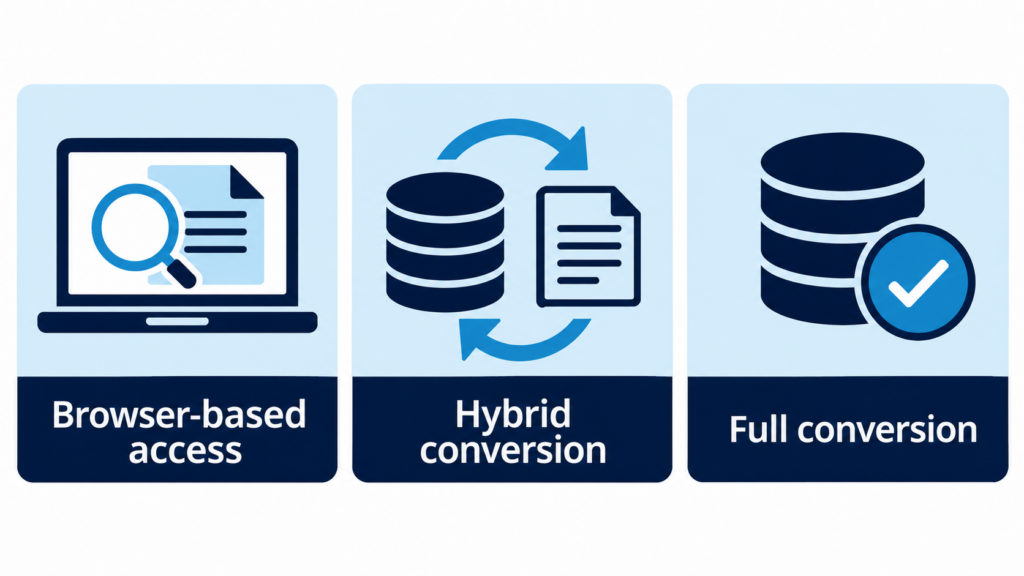
Browser-based access, no conversion
Load 100% of the legacy data and images into an indexed, searchable archive that staff reach through a browser. Nothing is mapped into the new core. It is the fastest path, and the original files stay untouched. It fits when the day-one requirement is small and most historical pulls come from a research team.
Hybrid conversion
Stage all of the legacy data in a searchable archive, then convert only the priority items into the new systems: signature cards, recent statements, key loan documents. Mapping and quality assurance shrink to the records that matter on day one. It fits phased migrations and institutions where branch staff need recent history inside the core.
Full conversion
Convert everything into the new core and imaging systems, then retire the old platforms. It costs the most and takes the longest, but leaves one system of record. It fits when policy or operations require all history inside the new core.
Whichever path you choose, stage everything in one place before anything moves, so a missing month shows up during the project instead of a year later.
What does legacy data cost in a core conversion?
Most institutions never add up the four costs that matter:
- Extraction fees from the outgoing vendor to release the data.
- Hosting or extension fees to keep the old archive available after cutover.
- Per-import or mapping charges to load records into the new core or imaging system.
- Staff time spent maintaining a legacy system and running research on it.
Total all four for each option. The cheapest-looking quote often leaves the hosting fee running for years.
Legacy data checklist for the conversion plan
- Confirm the deconversion date in writing, and whether the archive is in-house, at a third-party IT provider, or hosted by the vendor.
- Inventory every archive: check images, statements (rendered PDF or text only), COLD reports, and documents such as signature cards and loan files.
- List who pulls historical records, how often, and how far back.
- Map retention periods by record type to your written policy.
- Define the day-one requirement for the new core.
- Plan for a second and possibly third data cut after cutover to catch gap data.
- Check that every processing date has both data and images before anything loads.
- In a merger, check for duplicate account numbers and keep each charter’s records separate.
Frequently asked questions
Can a bank or credit union delete legacy data after a conversion?
Only records past every retention period that applies, under a written retention policy. Most of an archive stays in scope for years.
Is hybrid conversion cheaper than full conversion?
Usually, because fewer records are mapped, tested, and loaded. Statements stored as rendered PDFs often make up most of an archive, so whether they convert moves the price more than anything else.
Does a legacy archive outside the core work for exams?
Examiners care whether staff can produce a record within a reasonable time and show who accessed it. An archive with full-text search and access logging answers both. The institution still owns its retention program.
What if the conversion already happened and the old system is still running?
The options do not change, but the leverage does. Confirm the shutoff date in writing, get the extract scoped before the contract lapses, and price the archive against what the extension is costing each month. The Guide to Legacy Data Conversion walks through the same planning steps in a shorter window.
Choosing the path before the deconversion notice arrives
FIntegrate built FusionLRS around all three options for legacy data in a core conversion. It stages legacy data once in an indexed, browser-based archive on the institution’s own servers, then keeps it there or exports it to the new core. FusionLRS supports more than 20 legacy source systems, and our team has completed more than 5,000 conversion projects over 25+ years. In our team’s experience, hybrid conversion can reduce costs 50 to 70% versus a full conversion. Implementations have been completed in as little as 90 days.
Bank of the Orient loaded more than a terabyte of legacy data in roughly 24 hours and went live on its new core on schedule. FirstOak Bank chose browser-based access because, in its words, “We needed a separate location where everyone knew where to go if they needed to look up any historical data.”